DACTE
DACTE (Auxiliary Document of the Electronic Transportation Bill) is a printed document used in Brazil to accompany the electronic transportation invoice (CT-e). It serves as a simplified version of the CT-e, providing key details about the shipment, such as cargo information, sender and receiver, and transport company data. All transport modes are supported — road, air, water, rail, pipeline and multimodal.
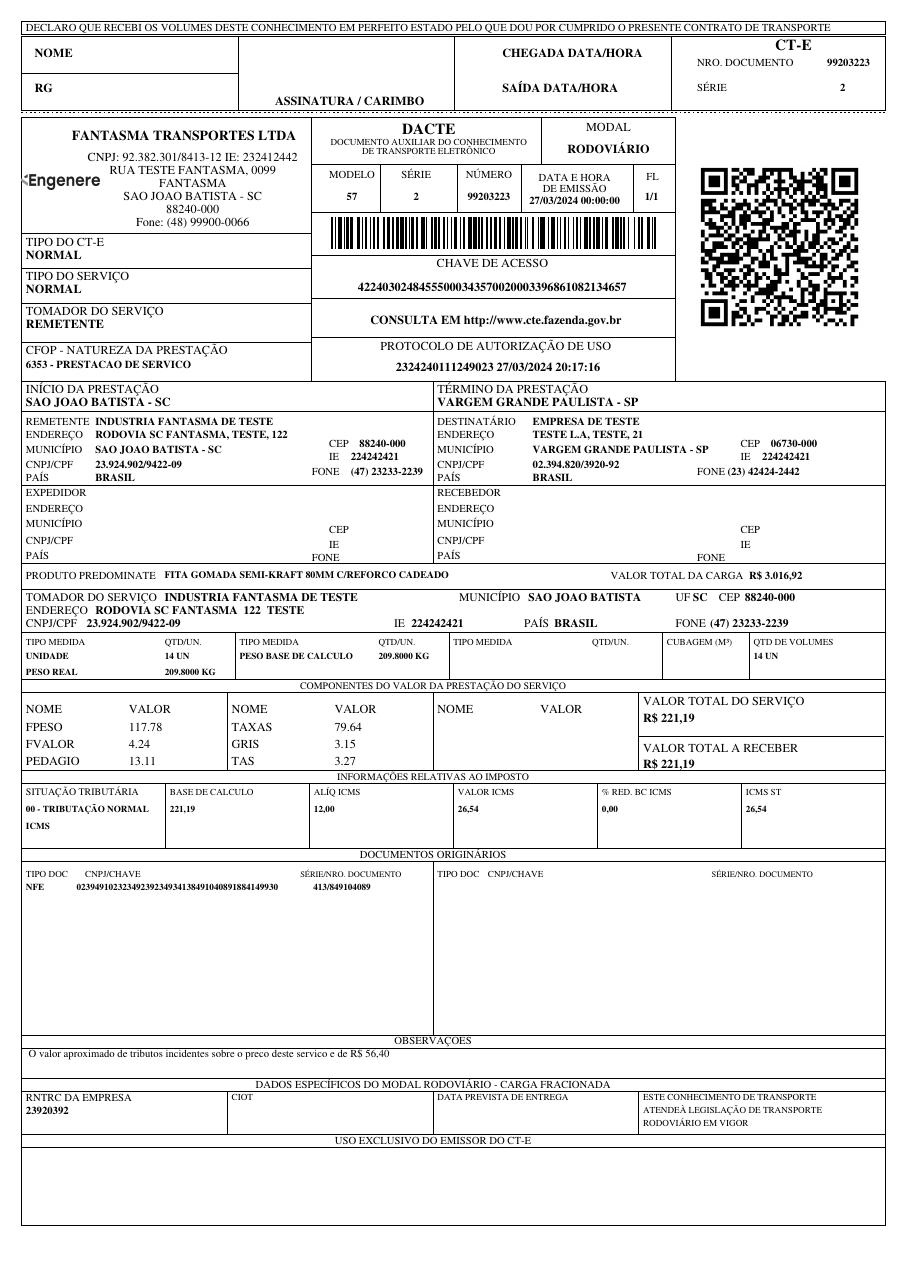
Try it online with a sample XML
Basic Usage
from brazilfiscalreport.dacte import Dacte

# Path to the XML file
xml_file_path = 'cte.xml'

# Load XML Content
with open(xml_file_path, "r", encoding="utf8") as file:
    xml_content = file.read()

# Instantiate the DACTE object with the loaded XML content
dacte = Dacte(xml=xml_content)
dacte.output('output_dacte.pdf')
Customizing DACTE 🎨
This section describes how to customize the PDF output of the DACTE using the DacteConfig class. You can adjust various settings such as margins, fonts, and other options according to your needs.
Configuration Options ⚙️
Here is a breakdown of all the configuration options available in DacteConfig:
Logo
- Type:
str,BytesIO, orbytes - Description: Path to the logo file or binary image data to be included in the PDF. You can use a file path string or pass image data directly.
- Example:
- Default: No logo.
Margins
- Type:
Margins - Fields:
top,right,bottom,left(all of typeNumber) - Description: Sets the page margins for the PDF document, in millimeters.
- Example:
- Default: top, right, bottom, and left are set to 5 mm.
Font Type
- Type:
FontType(Enum) - Values:
COURIER,TIMES - Description: Font style used throughout the PDF document.
- Example:
- Default:
TIMES
Display IBS/CBS
- Type:
bool - Description: When set to
True, adds an "IBS E CBS" column to the tax information block, showing the state IBS, municipal IBS and CBS rates and amounts extracted from theIBSCBSgroup of the CT-e XML (Brazilian tax reform — Reforma Tributária). - Example:
- Default:
False - Tax reform notes (NT 2026.004 v1.00): the NT only changes the XML layout and does not change the DACTE printing, so the new fields (
vTPrestLiq,vTotDFe) are not printed. The "VALOR TOTAL DO SERVIÇO" field is alwaysvTPrest, which from 2027 already includes IBS and CBS. Values missing in the XML are left blank (never0,00). When the rate has a reduction (gRed), the printed percentage is the effective rate (pAliqEfet). The ICMS columns are read only fromimp/ICMS, never from theIBSCBSgroup.
Receipt Position
- Type:
ReceiptPosition(Enum) - Values:
TOP,BOTTOM,LEFT - Example:
- Default:
TOP
Warning
This option is not yet implemented for the DACTE: the receipt is always rendered at the top, and the layout is determined automatically by the print orientation (tpImp) of the CT-e XML. Setting it currently has no effect on the output.
Decimal Configuration
- Type:
DecimalConfig - Fields:
price_precision,quantity_precision(bothint) - Example:
- Default:
4for both fields.
Warning
This option is not yet implemented for the DACTE: monetary values are always formatted with 2 decimal places. Setting it currently has no effect on the output.
Watermark Cancelled
- Type:
bool - Description: When set to
True, displays a "CANCELADA" watermark on the DACTE for cancelled documents. If the XML belongs to the homologation environment, the text becomes "CANCELADA - SEM VALOR FISCAL". - Example:
- Default:
False
Note
Independently of this setting, a "SEM VALOR FISCAL" watermark is drawn automatically whenever the XML has no authorization protocol (protCTe) or was issued in the homologation environment (tpAmb = 2). When watermark_cancelled=True, the cancellation watermark takes precedence.
Usage Example with Customization
Here's how to set up a DacteConfig object with a full set of customizations:
from brazilfiscalreport.dacte import (
    Dacte,
    DacteConfig,
    FontType,
    Margins,
)

# Path to the XML file
xml_file_path = 'cte.xml'

# Load XML Content
with open(xml_file_path, "r", encoding="utf8") as file:
    xml_content = file.read()

# Create a configuration instance
config = DacteConfig(
    logo='path/to/logo.png',
    margins=Margins(top=10, right=10, bottom=10, left=10),
    font_type=FontType.TIMES,
    display_ibs_cbs=True,
)

# Use this config when creating a Dacte instance
dacte = Dacte(xml_content, config=config)
dacte.output('output_dacte.pdf')