DACCe
DACCe (Auxiliary Document of the Electronic Correction Letter) is a printed representation of the CC-e (Electronic Correction Letter) used in Brazil. It provides details about corrections made to a previously issued NF-e (Electronic Invoice), including the correction text, the referenced invoice key, and protocol information.
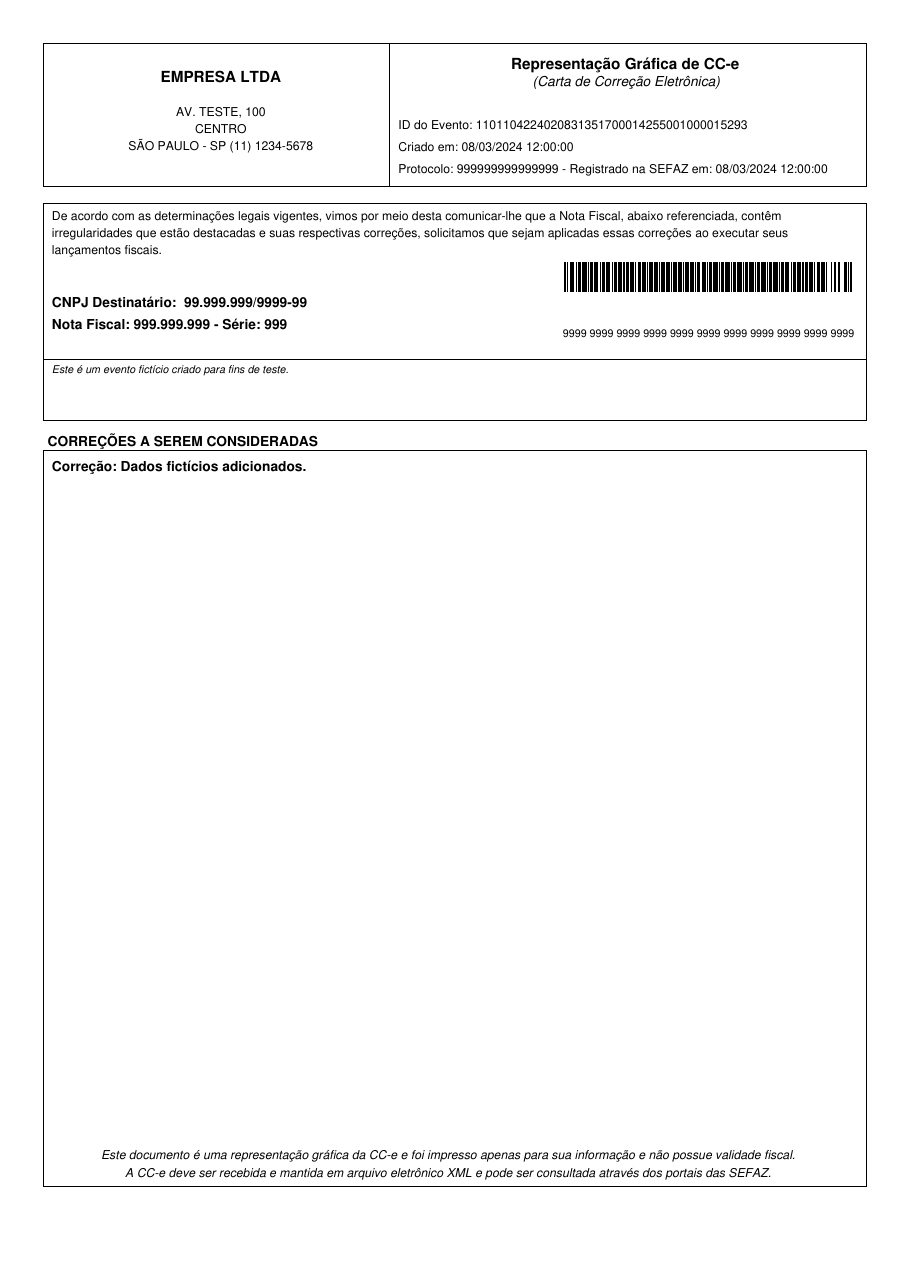
Try it online with a sample XML
Basic Usage
from brazilfiscalreport.dacce import DaCCe

# Path to the XML file
xml_file_path = 'cce.xml'

# Load XML Content
with open(xml_file_path, "r", encoding="utf8") as file:
    xml_content = file.read()

# Instantiate the CC-e PDF object with the loaded XML content
cce = DaCCe(xml=xml_content)

# Save the generated PDF to a file
cce.output('cce.pdf')
Note
The dacce command reads the issuer data from the ISSUER section of a config.yaml in the working directory — see the CLI documentation. Without it, placeholder issuer data is printed on the PDF. Adding a logo via CLI is not supported for DACCe; use the Python API.
Output notes
- The issuer CNPJ or CPF comes from the XML itself (the event author, in
infEvento); the other issuer data come from theemitenteparameter. - The recipient is printed as CNPJ (
CNPJDest) or, for an individual, as CPF (CPFDest). Without either, the line is left out. - The SEM VALOR FISCAL watermark, like the DANFE's, is applied to homologation events (
tpAmb= 2) and to events the SEFAZ did not register (noretEvento, nonProtor acStatother than 135/136). In that case, the protocol line says the event was not registered. - Line breaks in the correction text are kept, including
\nsent as a literal backslash andn. When the text does not fit in its box, the font is reduced; if it still does not fit, the text is cut with an ellipsis.
Customizing DACCe 🎨
The DaCCe class accepts the following parameters:
Parameters
xml
- Type:
str - Description: The XML content of the CC-e event.
- Required: Yes.
emitente
- Type:
dictorNone - Description: A dictionary containing the issuer (emitente) information, displayed in the header of the DACCe. The CC-e XML does not carry this data, only the issuer CNPJ/CPF, which is printed even without the dictionary. All keys are optional: missing or empty ones are left out.
- Keys:
nome,end,bairro,cep,cidade,uf,foneandie. - Example:
- Default:
None(only the CNPJ/CPF from the XML is shown in the issuer box).
image
- Type:
str,BytesIO,bytes, orNone - Description: Path to a logo image file or binary image data to be displayed in the header alongside the issuer information. The value is passed directly to fpdf2, so URLs and
PIL.Image.Imageinstances are also accepted. - Example:
- Default:
None(no logo).
Usage Example with Customization
from brazilfiscalreport.dacce import DaCCe

# Path to the XML file
xml_file_path = 'cce.xml'

# Load XML Content
with open(xml_file_path, "r", encoding="utf8") as file:
    xml_content = file.read()

# Issuer information
emitente = {
    "nome": "EMPRESA LTDA",
    "end": "AV. TEST, 100",
    "bairro": "CENTRO",
    "cidade": "SÃO PAULO",
    "uf": "SP",
    "fone": "(11) 1234-5678",
}

# Instantiate with issuer and logo
cce = DaCCe(xml=xml_content, emitente=emitente, image="path/to/logo.png")

# Save the generated PDF to a file
cce.output('cce.pdf')